
Text from your existing business number without porting
Use the Hosted SMS wizard to turn on texting for a landline or VoIP number you already own, while calls stay with your current provider.
For admins · Updated Sep 23, 2026
All guides
Your customers already know your business number. It is on your trucks, your website and your Google listing. Hosted SMS lets you send and receive texts on that exact number inside HighLevel, without porting it and without touching how calls reach you today.
Phone Clover asks Telnyx to host only the texting side of the number. Your voice provider keeps the calls. Nothing about how the phone rings changes during or after the process.
Before you start
- Who can do this: an admin of the HighLevel sub-account.
- Which numbers qualify: US landline and VoIP (internet phone) numbers. Mobile numbers cannot be hosted this way.
- What you need: two PDF files, each up to 5 MB:
- a signed letter of authorization (LOA). The wizard offers a template you can download.
- a recent phone bill that shows the number.
- How long it takes: a few minutes of your time, then Telnyx reviews the request Monday to Friday, usually within 1 to 3 business days.
Step by step
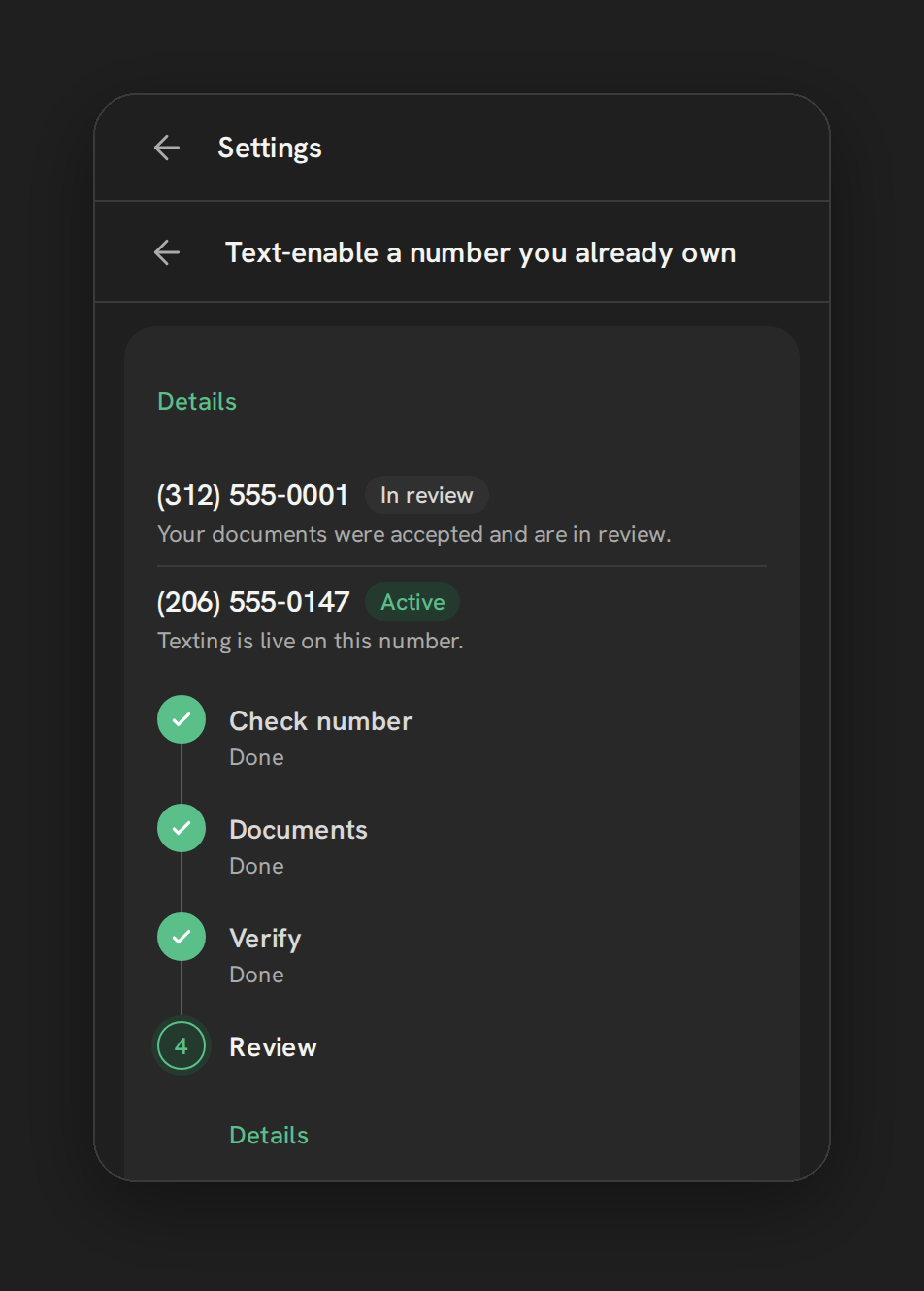
- Open the wizard. In Phone Clover, open Settings, then the Numbers tab, and start Hosted SMS.
- Check number. Enter the number and click Check this number. Phone Clover confirms the number can be hosted. If it is a mobile number, the check stops here.
- Documents. Upload the signed letter of authorization and the phone bill. A collapsible section in the wizard lists the five fields the letter must contain. Check them before you upload.
- Verify. Phone Clover texts a short code to the number to prove you own it. Enter the code in the wizard.
- Review. Telnyx reviews the request. Texting switches on the moment it clears. You do not need to come back and press anything.
The wizard shows where the request is at every point:
| Status | What it means |
|---|---|
| Checking | Phone Clover is checking whether the number can be hosted |
| Awaiting documents | Upload the letter of authorization and the phone bill |
| Confirming ownership | Enter the code that was texted to the number |
| In review | Telnyx is reviewing, usually 1 to 3 business days |
| Active | Texting is on for this number |
| Failed | The request was rejected. The reason is shown next to the status |
Note: Calls on the number are never touched. Hosted SMS only adds texting. Keep paying your current voice provider, because the number still lives with them.
After it is active
The number behaves like any other Phone Clover texting number. Messages you send from HighLevel Conversations, workflow Send SMS steps and bulk texting go out from it, and replies land in the same conversation. Business texting in the US still needs A2P 10DLC registration. See Register for A2P 10DLC.
Limits
- US numbers only. Mobile (wireless) numbers are not eligible.
- Each document can be up to 5 MB.
- Ownership is verified by text message only. There is no voice-call verification option.
- A request cannot be cancelled from the wizard yet. Contact support if you need to withdraw one.
Troubleshooting
The check says the number is not eligible. It is most likely a mobile number. Use a new Telnyx number for texting instead. See Set up your first number.
The code never arrives. Request the code again. If it still does not arrive, contact support with the number and the time you tried, since verification by voice call is not available.
The request failed. Read the reason next to the status, fix the document it points to, and start a new request. Make sure the letter of authorization contains all five required fields listed in the wizard.