
Round-robin call routing
Ring one rep at a time, in rotation, instead of ringing everyone at once, for calls to your default number.
For admins · Updated Sep 23, 2026
All guides
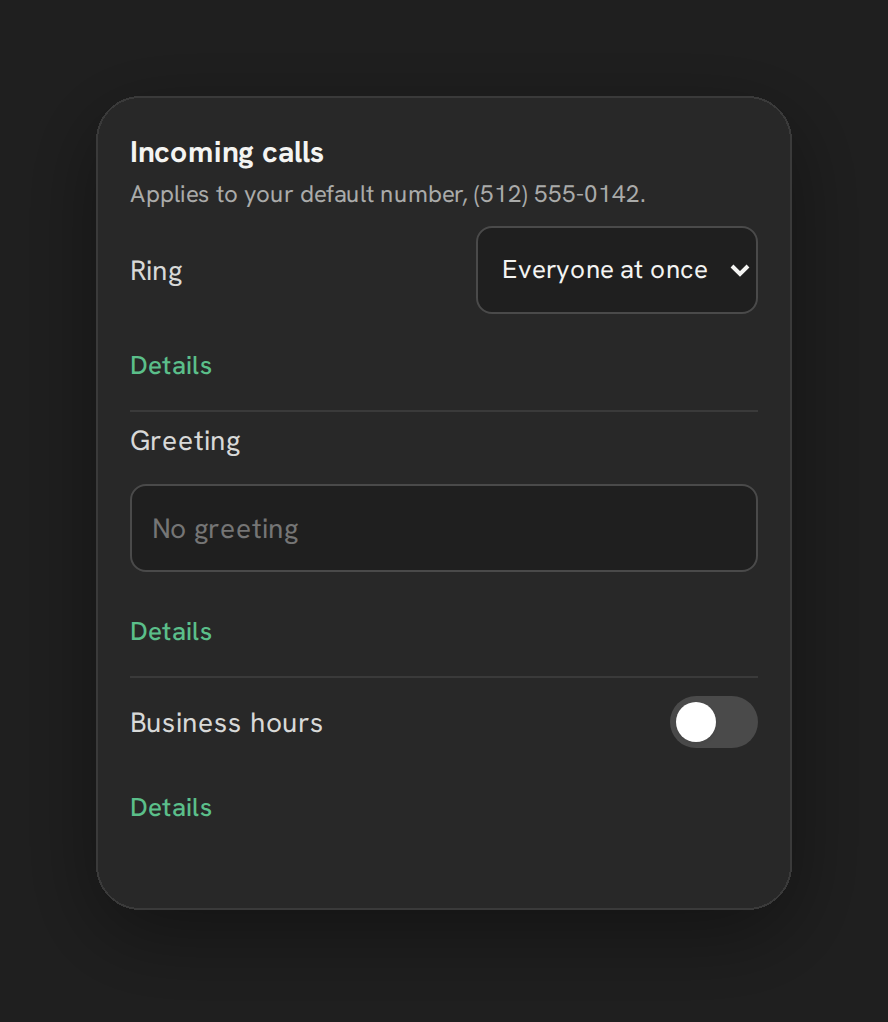
Phone Clover offers two ways to distribute an inbound call across your team: ring everyone at once, or ring one rep at a time in rotation. Round robin is the second option.
Who can set this up
An admin, from Settings → Calls → “Incoming calls” card. Routing applies to your default number.
How round robin works
Round robin rings one rep for 15 seconds. If that rep does not answer, it advances to the next ringable rep, for up to 4 turns total. If nobody answers after 4 turns, the call falls through to forwarding or voicemail, whichever you have configured. See Forward calls to your mobile phone and Voicemail setup.
The rotation cursor, which rep gets tried first on the next call, advances after every call so the same person is not always first in line. This update happens atomically per call, so two calls landing at nearly the same time do not both start on the same rep.
Who counts as “ringable”
Only reps who are currently marked Available, and who have been seen active within the last 90 seconds, are eligible to be rung. A rep marked Away, or one whose browser tab has gone quiet, is skipped in the rotation. See Available and Away status.
How to turn it on
- Open Settings → Calls in Phone Clover.
- In the “Incoming calls” card, choose Round robin as the ring mode.
- Save.
Note: Round robin only affects the default number’s inbound routing. It does not change how click-to-call or outbound calls choose a caller ID.
What round robin is not
There is no way today to set a custom order for reps in the rotation. Phone Clover cycles through whichever reps are currently ringable; it does not support a fixed “always try this rep first” sequence beyond what the rotation cursor naturally produces.
Warning: In-order routing, where you manually set a specific rep sequence, is not built. Round robin is the closest available option if you want calls spread out rather than ringing everyone simultaneously.
Business hours still apply
Round robin only runs during whatever business hours you have configured for the number. Outside those hours, the call skips straight to forwarding, voicemail, or the greeting. See Business hours.
When round robin fits better than ring-all
Ring-all is simple and fast, but it means every available rep’s phone rings for every call, which can feel disruptive on a busier team. Round robin spreads that load out, ringing one rep at a time instead of the whole team, so reps are not all interrupted by a call that only one of them will end up taking. It also gives a more even distribution of who answers what over the course of a day, since the rotation cursor moves forward after every call rather than always favoring the fastest person to click Answer.
Watching it work
The dashboard’s “By rep” table shows calls, answers, and misses per rep, which is a good place to confirm round robin is actually spreading calls out as expected rather than always landing on the same one or two reps. See By-rep stats.