
Forward calls to your mobile phone
Send incoming calls to your cell phone when nobody is available in the browser, while callers still see your business number.
For admins · Updated Sep 23, 2026
All guides
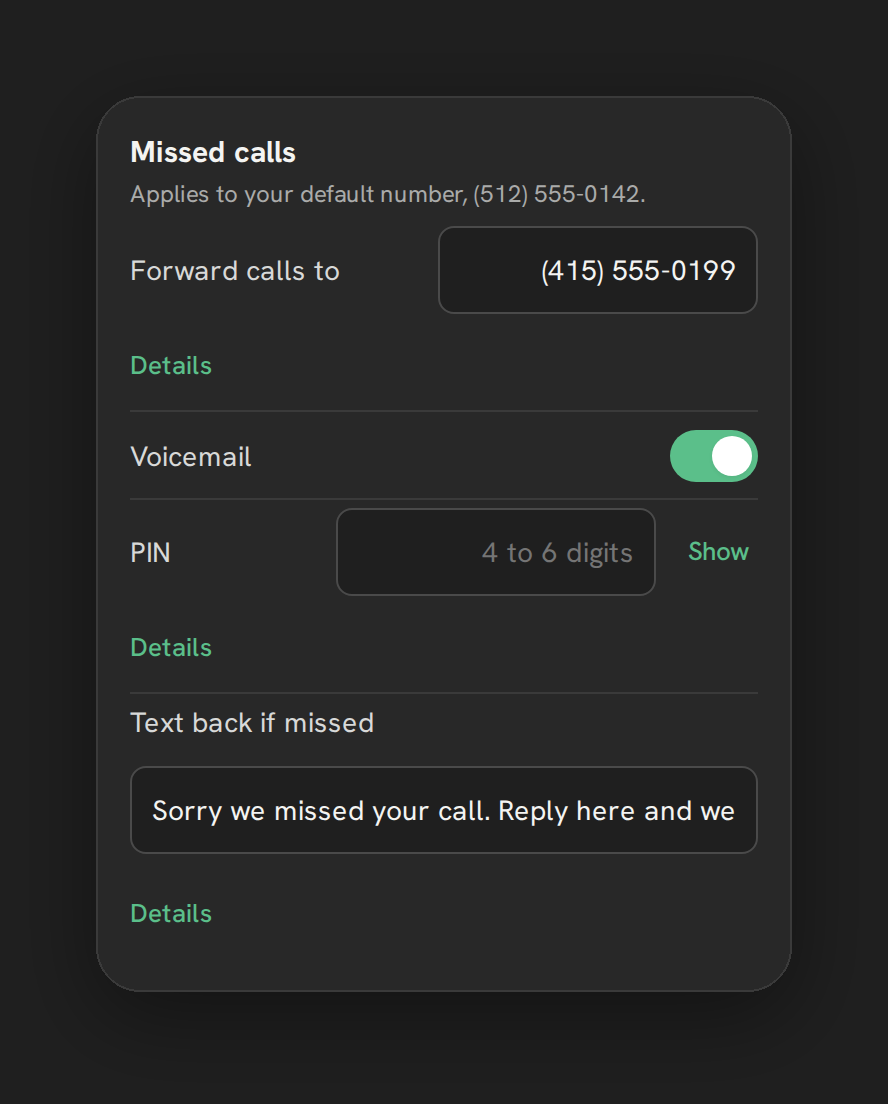
Phone Clover’s voice calling happens in a desktop browser, which means a call can only reach a rep who has HighLevel open. Forwarding gives you a safety net: if nobody is available, the call can ring a mobile phone instead of going straight to voicemail or ringing out.
Who can set this up
An admin, from Settings → Calls → “Missed calls” card.
How to turn it on
- Open Settings → Calls in Phone Clover.
- Find the “Missed calls” card.
- Enter a phone number in the “Forward calls to” field.
- Save.
Once set, calls that reach the end of your ring flow, for example after ring-all or round-robin routing has tried every rep, forward to that number instead of going to voicemail.
What the person forwarded to sees
Your business number stays as the caller ID. A forwarded call never shows the caller’s own number or a generic forwarding number on the receiving end, it always looks like a call from your Phone Clover number. This keeps the caller experience consistent no matter which leg of the call chain answers.
Turning it off
Clear the field and save. Phone Clover asks you to confirm: “Stop forwarding calls from <number>?
Callers will hear voicemail or ringing instead.” Once confirmed, calls that go unanswered follow
whatever comes next in your setup, typically voicemail if it is turned on, or the greeting and
hang-up.
Note: Forwarding is a fallback, not a replacement for the browser softphone. It only fires after your normal ring flow has already tried the reps configured for the number. See Ring-all routing, Round-robin routing, and Business hours for how that flow is put together.
Where forwarding fits in the call flow
For a call outside business hours, or one nobody answers within hours, Phone Clover tries in order: forward (if set), then voicemail (if turned on), then a spoken greeting and hang-up. If neither forwarding nor voicemail is configured, the caller hears the greeting, or gets a plain reject if there is no greeting either.
Limits
- One forwarding number per default number. There is no per-rep or per-time-of-day forwarding destination.
- The forwarding number itself is not verified by Phone Clover beyond basic formatting. Make sure it is a working number before relying on it.
Deciding between forwarding and voicemail
Forwarding and voicemail are not exclusive. You can set up both, in which case a call that nobody answers in the browser first tries your mobile number, and only reaches voicemail if that forwarded call also goes unanswered. Some teams prefer forwarding alone, so every unanswered call gets a chance at a live pickup on a cell phone rather than a message. Others prefer voicemail alone, if reaching a rep’s personal phone is not something you want a caller to experience.
Checking that it is working
After saving a forwarding number, place a test call to your Phone Clover number from a phone that is not logged into Phone Clover, and let it ring out without anyone answering in the browser. Confirm the call reaches the mobile number you set, with your business number showing as the caller ID rather than the number of whoever actually called in.