
Recents, Keypad, and Lists on the Phone page
What each tab on Phone Clover's full Phone page does, Recents, Contacts, Keypad, and Lists, and how the bottom bar works.
For reps · Updated Sep 23, 2026
All guides
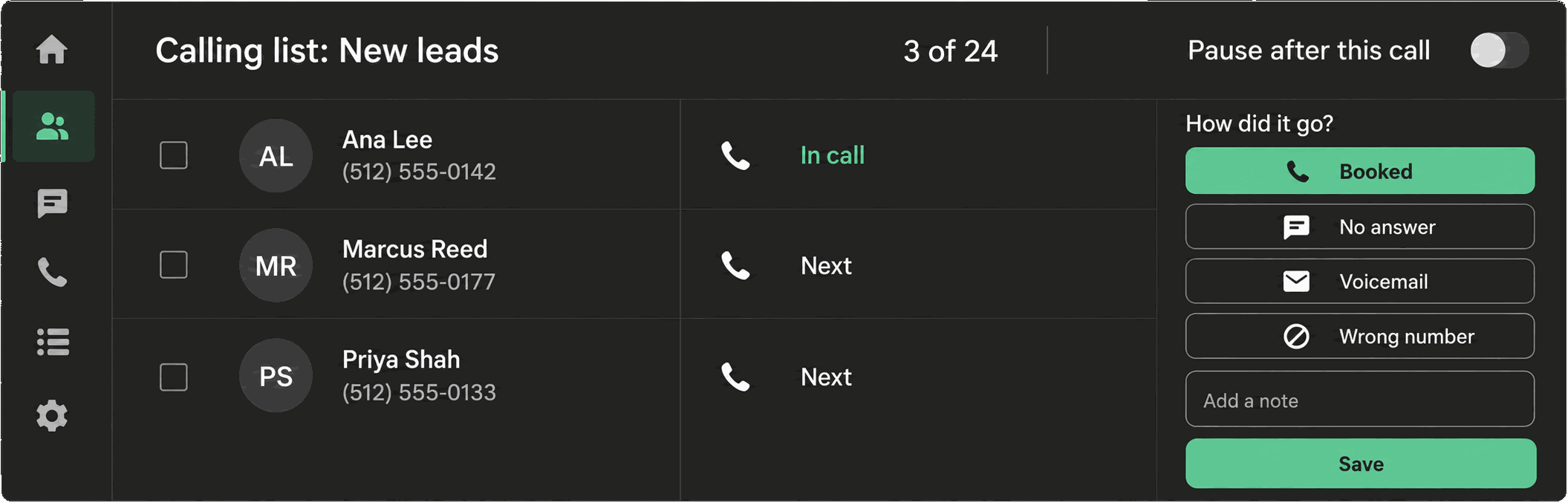
Phone Clover’s full Phone page has its own bottom navigation, styled like a phone app’s tab bar, with four tabs: Recents, Contacts, Keypad, and Lists. This page is where you go for dialing, browsing call history, and running calling lists, separate from the floating widget that follows you around the rest of HighLevel.
Note: On a wide browser window (roughly 1000 pixels or more), the Phone page shows your call dashboard alongside the phone instead of the tab bar. The tab bar you are reading about here shows up on narrower windows.
Recents
Your call history, most recent first. Recents has its own filter with two buttons, All and Missed, so you can narrow the list to just the calls that need a callback. A red badge on the Recents tab itself shows how many missed calls you have not yet seen, capped at “9+.”
Contacts
The same HighLevel contacts browser you would see elsewhere in GHL, shown inside the Phone page so you can find someone to call without switching tabs. Click a phone icon here the same way you would on the main Contacts grid to start a call. See Click-to-call in the Contacts grid.
Keypad
The dial pad for placing a manual call. This tab is also where a live call and the post-call outcome card always open, no matter which tab was active when the call started or connected. If a call comes in while you are on Recents or Lists, the call itself still surfaces here.
Lists
Start a calling list from a HighLevel tag, or see the list that is currently running. Type a tag and Phone Clover dials every contact carrying it, one after another, with do-not-call and calling-hours checks re-run before each call. See Create a calling list from a tag and DND and calling-hours checks.
You can also start a list by ticking contacts in HighLevel’s own Contacts grid and clicking “Call N selected” in the floating widget, without going through the Lists tab. See Create a calling list from selected contacts.
Getting around
The four tabs stay put while you work, so switching between browsing Recents and dialing from the Keypad does not lose your place. A call in progress, or the outcome screen after one ends, always takes over the Keypad tab regardless of where you tap next, so you never lose track of an active call by navigating to a different tab.
Warning: Voice calling on the Phone page only works in a desktop browser. There is no native mobile calling app, so this tab bar is designed for a full-size screen, not a phone-sized one.
Recents in more detail
Each row in Recents shows who the call was with, the direction, and whether it was answered. Tap a
row to see more detail on the call, including any outcome that was recorded and a recording or
transcript if your sub-account has those turned on. The All/Missed filter is a role="group" control
labeled “Show,” so it is announced clearly by screen readers if you rely on one.
Keypad in more detail
The Keypad tab holds a standard number pad plus a text field for typing a number directly. Start a call from here the same way you would dial from any phone. Because a live call and the outcome screen always take over this tab regardless of where you tapped from, it is worth remembering that switching to Recents or Contacts mid-call does not end the call, it just moves what you are looking at while the call keeps running in the background.
Lists in more detail
The Lists tab shows either a form to start a new list from a tag, or the live status of a list already running: how many contacts are left, how many were skipped, and pause and stop controls. See Create a calling list from a tag for the full walkthrough, including the 100-contact cap per list and how skipped contacts are reported.