
The problem
Getting the right phone numbers into a system, and keeping them organized once they’re there, sounds simple until a team has more than one number, in more than one country, with different reps needing different caller IDs. Managing that by hand, or bouncing between Telnyx’s own dashboard and GHL, adds friction to something that should be a five-minute setup task.
Agencies rolling this out across several sub-accounts feel it most: each sub-account needs its own numbers set up correctly, with the right one marked Default and the right capabilities enabled, and doing that by hand for every sub-account multiplies a small task into a repetitive one. International businesses run into a version of the same problem, since GHL’s native carrier has limited inventory outside the US, which effectively rules some markets out entirely.
Number management brings that into one place inside Phone Clover: adopting numbers you already own, buying new ones, and configuring how each one behaves.
How it works in HighLevel
There are two ways to get a number into Phone Clover. If you already have Telnyx numbers, connect your own Telnyx account; they then show up in the picker under Settings → Numbers → “Enable your Telnyx numbers.” Picking an unrouted number shows a confirmation: “Move <number> to this account? Voice and texting for it will route here.”
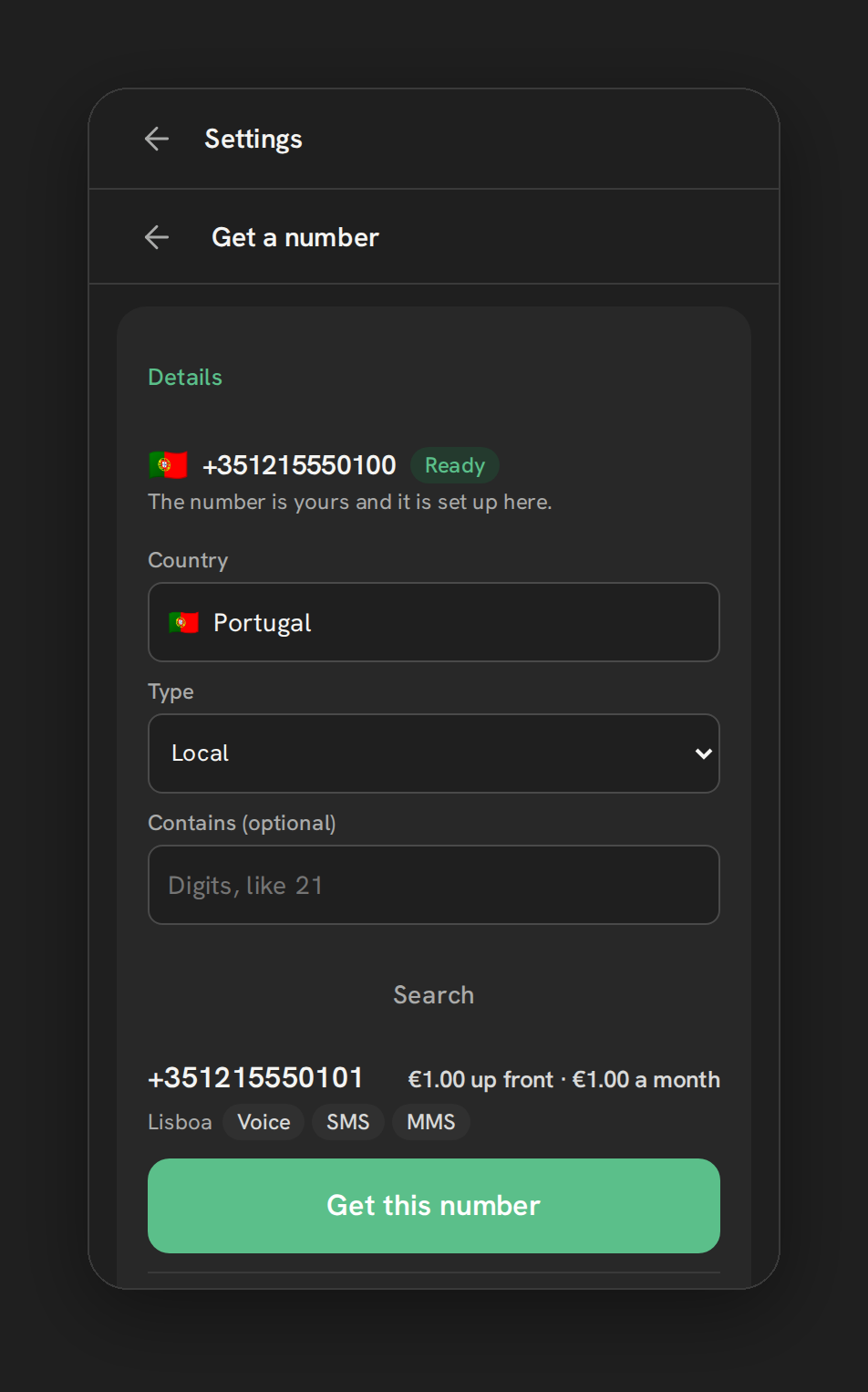
To buy a new number instead, use “Add a number” → “Get a number.” Search by Country, with typeahead, and Type, Local, Mobile, Toll-free, National, or Shared cost, and optionally filter by digits the number should contain. Results show price, for example “$1.00 up front · $1.00 a month,” and capability chips for Voice, SMS, MMS and Fax. Some countries require extra paperwork, documents, an address, or additional fields, which the wizard collects before letting the purchase go through. A confirm step always shows the total charge before it happens.
Once a number is in, the Numbers card lets you edit its label, set its Voice/SMS/MMS capability chips, mark it as the sub-account’s Default, and enable or disable it. The separate “Rep caller ID” card sets which number each user’s outgoing calls show, per user, defaulting to “Default.”
Every option explained
| Setting | Where | What it does |
|---|---|---|
| Adopt a number | Settings → Numbers → “Enable your Telnyx numbers” | Brings a number from your connected Telnyx account into this sub-account |
| Get a number | Settings → Numbers → “Add a number” | Searches and buys a new domestic or international number |
| Number label | Numbers card, per number | An editable name for the number |
| Default radio | Numbers card, per number | Sets the sub-account’s default number for calls and texts |
| Enabled switch | Numbers card, per number | Turns a number on or off without removing it |
| Rep caller ID | “Rep caller ID” card | Sets each user’s outgoing caller ID, defaulting to Default |
Note: Purchases are rate-limited to 5 per day per sub-account. Porting, short codes and alphanumeric sender ID all go through a mailto link in the wizard rather than a self-serve flow today.
What runs on Telnyx
Every number Phone Clover manages is a Telnyx number, whether it’s adopted from an existing Telnyx account or purchased fresh through the international shop. Telnyx handles the actual provisioning, pricing and country-specific paperwork requirements; Phone Clover’s job is presenting that search and purchase flow inside GHL and then wiring the resulting number into the sub-account’s calling and texting setup.
Who uses it
An admin manages numbers, since buying, adopting and configuring numbers touches billing and account-level setup. Reps interact with number management indirectly, mainly through the Rep caller ID setting, which decides what a contact sees on caller ID when that rep calls out.
What to expect
Purchases are capped at 5 a day per sub-account, so a large rollout buying many numbers at once will need to spread across a few days. Porting an existing number into Telnyx, short codes, and alphanumeric sender IDs are not self-serve yet, those go through a mailto request instead of an in-app flow. And a hosted number can occasionally display its Voice and SMS capability chips backwards due to a known display issue, worth double-checking if a hosted number’s chip looks wrong rather than assuming it’s actually misconfigured.
Plan international purchases with a little extra time, since some countries require documents or an address before the purchase can complete, and that paperwork review isn’t instant. If a specific number you want isn’t available through the search, the mailto link for porting or short-code requests is the right next step rather than trying to force it through the buy flow.